DRAWY, DRAWY PARTY , DRAWX
Introducing drawy, drawx and drawy-party for making the self hostable excalidraw access able to anyone.
Built because I got tired of the single board limitation in excalidraw and wanted something I could actually deploy myself. The official Excalidraw Docker image is easy to set up, but it doesn’t provide a collaboration for free you need some plus membership to work with it.
- Drawy party bridges the gap with Cloudflare’s partykit as collaborative backend while keeping Excalidraw as the whiteboard experience.
- Drawy utilizes supabase as a backend for database and realtime collaboration .
- Drawx is the desktop version of Drawy and it’s completely offline and collaboration free making your drawings access able by you on your machine only.
There are several similar alternatives to Drawy like excalidash etc., but none are easy to deploy and use, you need to get a server spin 2 3 containers on that. One needs to have good understanding of DevOps, concepts like container networking reverse proxy. For getting started.
The main objective.
Section titled “The main objective.”The main thought behind entire lineup of drawy is to make collaborative self hostable whiteboards deploy able even by a 10 yr old and that to for free.
One can deploy it on Vercel, Netlify, or any server-less platform as hosting.
Deploy it anywhere you like, create virtually unlimited boards, and collaborate in them real time.
Don’t just listen to me go check yourself drawy, drawx and drawy-party .
dRAWY
Introducing Drawy
Section titled “Introducing Drawy”A real time collaboration capable drawing app(powered by Excalidraw) which is easy to deploy and host built with tech stack you already know.
if you want to run it host on your own supabase account, and running on Netlify is purely optional, this app is built with nitro
Section titled “if you want to run it host on your own supabase account, and running on Netlify is purely optional, this app is built with nitro”nitro is easy to deploy so no issues deploy adapter
Section titled “nitro is easy to deploy so no issues deploy adapter”Supabase realtime because it’s a nice BaaS with websocket support + postgres and object storage all in one place and supabase is easy to integrate with Vercel and Netlify
Section titled “Supabase realtime because it’s a nice BaaS with websocket support + postgres and object storage all in one place and supabase is easy to integrate with Vercel and Netlify”With Excalidraw canvas with library Suppport
Using Supabase for both db and sync and vervcel for hosting. you can use any hosting provider if you want to …
Host your own version for privacy and owning your own data also relying on the hosted instance is not recomended cz (I am also on the free tier and can go off anytime on exhausting the limits).
Refer to .env.example for the naming conventions of .env also you can use
mise for managing dev enviournment variables ..
tech stack
- Supabase(db, realtime sync)
- Tanstack start(frontend)
- vite-plus + nub
DRAWY-PARTY
Introducing Drawy-party (partykit + postgres version of the drawy app)
Section titled “Introducing Drawy-party (partykit + postgres version of the drawy app)”A real time collaboration capable drawing app(powered by Excalidraw) which is easy to deploy and self host built with the tech stack you already know. A easily selfhostable collaborative whiteboard powered by Excalidraw, PartyKit, and Postgres. Got tired of the single board limitation in excalidraw and wanted something I could actually deploy myself. Though the official Excalidraw Docker image is easy to run, but it doesn’t provide a collaboration without a paid membership Drawy-Party adds a persistent, collaborative backend using PartyKit and postgres while keeping Excalidraw as the whiteboard experience. Also, there are several similar alternatives like this, but tbh who wants to spin 2 3 containers when everything can be compressed into one. Any one can deploy it on Vercel / Netlify like serverless platform.. The goal is simple: deploy it anywhere, create virtually unlimited boards, and collaborate in real time.
A real time collaboration capable drawing app(powered by Excalidraw) which is easy to deploy and host + built with the tech stack you already know.
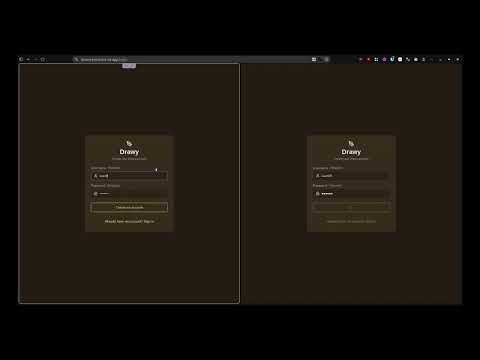
if you want to run it host on your own partykit account and bring your own PostgreSQL db with pg pool support preferably and running on Netlify is purely optional, this app is built with nitro
Section titled “if you want to run it host on your own partykit account and bring your own PostgreSQL db with pg pool support preferably and running on Netlify is purely optional, this app is built with nitro”nitro is easy to deploy so no issues deploy adapter
Section titled “nitro is easy to deploy so no issues deploy adapter”partykit for real time collab because it’s free + nice
Section titled “partykit for real time collab because it’s free + nice”With Excalidraw canvas with library Suppport
Using partykit and sync and Netlify for hosting … you can use any hosting provider if you want to … if facing issues while hosting partykit, you can run it in your own cloudflare account.
Host your own version, for privacy and owning your own data also relying on the hosted instance is not recommended cz (I am also on the free tier and can go off anytime on exhausting the limits).
Refer to .env.example for the naming conventions of .env also you can use
mise for managing dev enviournment variables ..
tech stack
- PARTYKIT (partykit)
- POSTGREs (postgresql) for free db connection refer to this article
- Tanstack start(frontend)
- vite
drawx